Free Professional Invoice Generator for Digital Entrepreneurs & Agencies
Streamline your billing workflow with the Bizeem Free Invoice Generator. Designed specifically for freelancers, web developers, digital marketers, and traffic exchange owners, this tool allows you to create, customize, download, and print professional commercial invoices in seconds. Whether you are billing international clients for custom software, web design packages, or digital advertising services, our zero-cost billing solution ensures your financial records remain organized, accurate, and completely secure.
How to Use & Save Your Invoices
- Fill in Your Business Details: Your sender information auto-populates from your profile if you're logged in. Edit the textarea directly if adjustments are needed.
- Add Client Information: Input your client's name and billing address under the "Bill To" section.
- Add Line Items & Adjustments: Click + Add Line Item to detail your products or services, and apply taxes, shipping, or discounts dynamically.
- Saving Your Work:
- Logged-in Users: Click Save Invoice to permanently store the record to your account database. Access and edit past bills anytime via My Saved Invoices.
- Guest Users: Drafts are saved securely to your browser’s local storage. Click Saved Drafts to manage them, or log in to sync your drafts directly to your account.
-
Export to PDF / Print: Click Print / Save as PDF. Here is what happens:
- Step 1: It automatically saves your invoice in the background so you never lose your work.
- Step 2: It opens your computer's print window.
- Step 3: Just select "Save as PDF" from the printer menu to save your file!
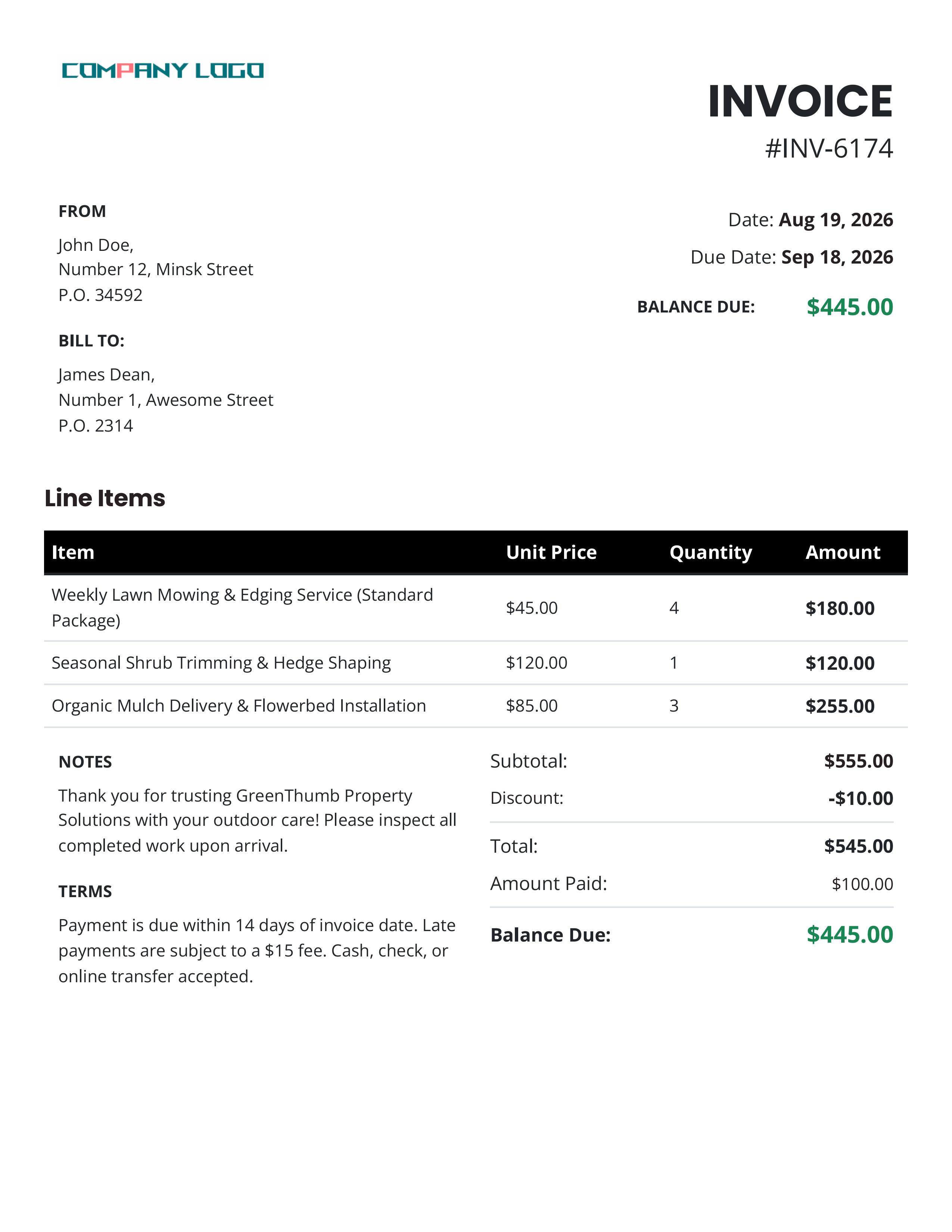
Sample Invoice Preview
Frequently Asked Questions & Troubleshooting
Are there any hidden fees or limitations on exports?
No. The Bizeem Invoice Generator is 100% free with unlimited invoices, unlimited PDF exports, and no watermarks. It is provided as a value-add utility for our community.
What happens to my invoices if I use Guest Mode?
In guest mode, your drafts are saved locally inside your web browser storage (localStorage). If you clear your browser cache, cookies, or switch devices, those drafts will not transfer automatically. We highly recommend logging into your account to save bills permanently to the cloud database.
Why are my profile details not showing up correctly in the "From" block?
If your sender address lines appear incomplete or blank, make sure your member account profile details (Name, Address, City, State, Postcode) are fully updated in your account settings. You can also manually edit the text directly inside the "From" box prior to saving or printing.
How do I fix layout issues or alignment errors when printing to PDF?
When the browser print window opens, make sure to check your print settings. Ensure that Background graphics is enabled (checked) so that background fills, table headers, and status badges render precisely as designed. If text overflows, verify that your browser scale is set to 100%.
Logo doesn't fit nicely in place? What are the recommended file sizes for logo upload?
You can upload standard image files (PNG, JPG) for your company logo. For optimal performance and database storage, our system includes a built-in optimization script. If your uploaded logo is larger than 100KB, it will automatically be resized and scaled down to a maximum width of 250 pixels while maintaining its original aspect ratio. It is then compressed to ensure fast page loading and clean, crisp rendering on your final printed or exported PDF invoices.
Something is not working/I'm experiencing a problem with the tool; what should I do?
Thank you for your interest in using our free Invoice Generator. Please report any problems/bugs via email to admin at bizeemtraffic dot com
We appreciate it, always.